Here’s a secret real programmers know: the way to get good at coding isn’t to read about it — it’s to build stuff. Once you’ve mastered the basics, these five projects will stretch your skills with real ideas the pros use every day: variables, loops, decisions and even a sprinkle of game design. Pick your tool — colourful Scratch blocks or typed Python code — and let’s level up.

🎮 Build Games & Animations in Scratch
1. Catch-the-Falling-Stars Game
Make a basket sprite that follows your mouse while stars drop from the top. Add a variable called score that goes up by one each time the basket touches a star. Then add a timer, and a “Game Over” screen when it runs out. You’ll be using the exact same scorekeeping idea found in real arcade games.
2. Choose-Your-Own-Adventure Story
Tell a branching story where the reader picks what happens next. Use broadcast blocks to jump between scenes, so clicking “open the door” sends the tale one way and “run away” sends it another. This teaches branching — the way code makes different things happen based on a choice.
3. Maze Escape
Draw a maze, then code a sprite that moves with the arrow keys. The tricky-but-brilliant part is collision detection: use an “if touching the wall colour” block to bounce the player back. Add a glowing exit and a winning message, and you’ve built a proper level.
💻 Level Up with Python Code
4. The Number-Guessing Game
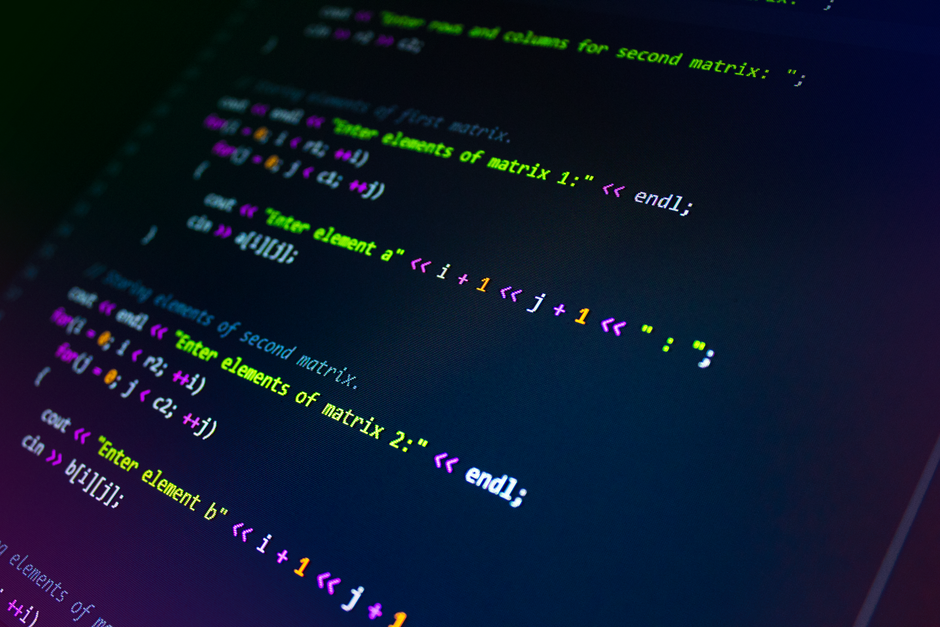
The computer picks a secret number and you guess until you get it. This is a perfect first Python project because it uses a loop (keep asking) and if/else decisions (“too high” or “too low”). Once it works, count the guesses and tell the player their score — just a few extra lines!
5. Turtle Spirograph Art
Python comes with a drawing robot called turtle. Tell it to draw a shape, turn a little, and repeat it dozens of times inside a loop — and watch a dazzling, spinning pattern appear. Change one number and the whole design transforms. It’s maths and art and code, all at once.
🌟 Did You Know?
A loop is one of a coder’s best friends. Instead of writing the same instruction 100 times, you write it once and tell the computer “do this 100 times” — saving heaps of typing and mistakes.
The Building Blocks Every Program Uses
Behind all five of these projects are a handful of ideas that every program uses — from a phone game to a Mars rover:
- 📦 Variables — labelled boxes that store information, like your score.
- 🔁 Loops — repeat an action lots of times without retyping it.
- 🔀 Conditionals — “if / else” decisions, like “too high” or “too low.”
- ⚡ Events — do something when something happens, like a click or a broadcast.
- 🔢 Sequence — the order of the steps, which matters a lot!
String these together in the right order and you’ve written an algorithm — a step-by-step recipe for the computer to follow.
📖 Big Word: Algorithm
Say it “AL-guh-rith-um.” It’s a set of step-by-step instructions for solving a problem or getting a job done — like a recipe. Every program you use is built from algorithms.
Debugging: Every Coder’s Superpower
Here’s a comforting secret: your code almost never works the first time — and that’s completely normal! Even expert programmers spend loads of time fixing mistakes. A mistake in code is called a bug, and finding and fixing it is called debugging. Fun fact: the word comes from a real bug — back in 1947, engineers found a moth stuck inside an early computer, taped it into their notebook, and wrote “first actual case of bug being found”! (The famous programmer Grace Hopper was on that very team.) Top debugging tips: test little bits as you go, read the error message carefully, change just one thing at a time, and explain your code out loud step by step — you’ll often spot the problem yourself.
From Scratch Blocks to Real Python
Scratch (built by a team at MIT) lets you snap together colourful blocks — perfect for starting out, with no spelling mistakes to trip you up. Python is typed-out text, and it’s used by real professionals to build websites, apps, games, and even the software behind space missions and artificial intelligence. They look totally different, but they teach the very same thinking. So whichever you pick, the logic in these five projects is the exact same logic the pros use every day — keep building, keep remixing, and dream up your next upgrade!
🤔 Fact or Fib? — tap your guess!
A variable in code is like a labelled box that stores a piece of information, such as your score.
Python and Scratch are exactly the same language with different names.
A loop lets the computer repeat an instruction without you typing it again and again.
Frequently Asked Questions
Q: What basic ideas do these coding projects teach?
Variables (store info like a score), loops (repeat actions), conditionals (if/else decisions), events (act when something happens), and sequence (the order of steps).
Q: What is an algorithm?
A set of step-by-step instructions for solving a problem or doing a job — like a recipe. Every program is built from algorithms.
Q: What is debugging?
Finding and fixing mistakes (bugs) in your code. It’s a normal part of coding — even experts do lots of it.
Q: Why is a code mistake called a “bug”?
In 1947, engineers found a real moth stuck in an early computer and taped it in their logbook as the “first actual case of bug being found.”
Q: What’s the difference between Scratch and Python?
Scratch uses drag-and-drop colour blocks (great for beginners); Python is typed text used by professionals. Both teach the same coding thinking.
📚 Where we learned this (for curious grown-ups):
• Code.org — Computer Science Fundamentals (Concepts & Debugging)
• Smithsonian — The Log Book With the First Computer “Bug”
• Scratch (MIT) — About Scratch
Keep Building!
Don’t try all five at once — pick the one that excites you most and finish it, even the messy bits. Every bug you squash and every level you design makes you a stronger coder. When you’re done, share your creation with a friend and dream up the next upgrade. The best projects always start with one curious idea… and a brave click on “new project”.